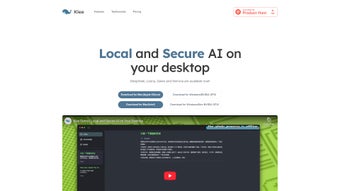

Download Klee – Secure AI Tool for File Management, Note‑Taking & RAG
Why Klee Is the Next‑Generation AI Assistant for Professionals
In an era where data breaches dominate headlines and cloud‑based AI services silently harvest every keystroke, a new class of software is emerging that puts privacy back in the hands of the user. Klee is a prime example of this shift. Built from the ground up as a native macOS application, Klee combines the power of cutting‑edge open‑source large language models (LLMs) with a privacy‑first architecture that never leaves your device.
The result is an AI‑driven workspace that can read, understand, and intelligently respond to any document you keep on your hard drive—whether it’s a research paper, a contract, a code repository, or a collection of meeting notes. This introductory section explores the philosophy behind Klee, the problems it solves for knowledge workers, and why downloading a free, secure AI tool today can dramatically improve both productivity and peace of mind. By the end of this paragraph, you’ll understand how Klee’s local‑only processing model eliminates the hidden costs of “free” cloud services, how its Retrieval‑Augmented Generation (RAG) engine transforms static files into a searchable knowledge base, and why its brainstorming‑first note‑taking system is a game‑changer for anyone who needs to turn ideas into actionable plans without compromising confidentiality.
The appeal of Klee goes beyond security. Because it runs entirely on your Mac, the latency associated with remote inference disappears, giving you near‑instant responses that feel like chatting with a personal assistant who already knows the contents of every folder you own. Moreover, the app is completely free to download and use, with optional premium extensions that never gate the core functionality. Whether you are a freelance writer juggling dozens of PDFs, a developer hunting for code snippets across multiple projects, or a project manager trying to keep meeting minutes organized, Klee offers a unified interface that adapts to your workflow while keeping your data locked on your own hardware. This introductory overview sets the stage for a deeper dive into the features, installation process, compatibility, and real‑world advantages that make Klee a standout AI productivity tool.
Overview and Core Features of Klee
Klee reimagines the traditional file manager by injecting it with a sophisticated AI brain. The application scans a user‑designated folder, breaks each document into semantic chunks, and creates vector embeddings using Llama 3 or Mistral—both of which are high‑quality, open‑source LLMs that run locally. These embeddings are stored in an encrypted SQLite database, forming a private knowledge base that can be queried through a native chat window. When you ask Klee a question, the RAG engine retrieves the most relevant chunks, feeds them into the LLM, and returns a concise, context‑aware answer. Because everything stays on‑device, there is no network traffic, no third‑party data collection, and no risk of inadvertent exposure.
The feature set is deliberately designed to serve power users who need both depth and simplicity. Below is a detailed list of what Klee offers, each explained in a way that highlights practical benefits:
- Local‑Only Processing: All inference, indexing, and storage happen on your Mac, guaranteeing zero data leakage.
- Open‑Source LLM Integration: Choose between Llama 3 for creative, nuanced responses or Mistral for faster, lightweight queries.
- Native macOS Chat Interface: Built with SwiftUI, the UI supports dark mode, VoiceOver, and smooth animations that feel native to macOS.
- RAG‑Powered File Retrieval: Semantic search goes beyond keyword matching, delivering passages that directly answer your question.
- Brainstorm‑First Note‑Taking: Notes become interactive canvases; as you type, Klee suggests related files, tags, and even auto‑generates mind‑maps.
- Encrypted Knowledge Base: Embeddings and metadata are encrypted at rest, and the database is locked with a user‑defined password.
- Custom Workspaces: Separate knowledge bases for personal, professional, or research contexts, each with its own LLM settings.
- Automatic Signed Updates: Updates are delivered via Apple’s notarization process, ensuring code integrity while preserving your data.
- Cross‑Platform Roadmap: Planned Windows, Linux, and iOS versions will retain the same privacy guarantees, making Klee a long‑term productivity hub.
Each feature is tightly coupled with the overarching goal of providing a fast, secure, and intelligent workspace. For instance, the RAG engine not only retrieves relevant text but also highlights the exact passages that influenced the answer, allowing you to verify the context instantly. The brainstorming notes leverage the same LLM to surface concepts you may not have considered, turning a simple list into a dynamic project plan. By keeping everything local, Klee sidesteps the latency and privacy concerns that plague cloud‑based AI assistants, delivering a user experience that feels both immediate and trustworthy.
Installation, Usage, and Compatibility – Getting Started with Klee
Installing Klee is designed to be as frictionless as possible for macOS users. Begin by clicking the download link on the official website. The site serves a signed .dmg file that, when opened, presents a simple drag‑and‑drop installer. Drag the Klee icon into the Applications folder, confirm the Gatekeeper prompt (the app is notarized by Apple), and you’re ready to launch. The first launch triggers a concise setup wizard that walks you through three essential steps:
- Select a Knowledge Base Folder: Choose the directory where Klee will store indexed documents and embeddings. This folder can be anywhere on your drive, including external SSDs for additional security.
- Pick an LLM: Opt for Llama 3 if you value richer, more creative responses, or select Mistral for quicker, lower‑resource queries. Advanced users can later import custom ONNX or GGML models via Settings → Advanced.
- Configure Privacy Settings: Enable automatic encryption of the vector store, set a master password, and decide whether Klee should retain temporary cache files after each session.
After the wizard completes, Klee opens its sleek chat window. From here you can start asking questions like “Summarize the key findings from my market‑research PDF,” and Klee will instantly scan the indexed folder, retrieve the most relevant passages, and present a concise answer. For note‑taking, click “New Brainstorm,” type your ideas, and watch as Klee auto‑suggests related documents, tags, and even generates visual mind‑maps that you can rearrange with drag‑and‑drop. The interface also includes a powerful command‑line utility (klee-cli) for batch indexing, automation, and integration with existing scripts.
Supported Operating Systems: Klee officially supports macOS 12 Monterey and later. A native Windows 10/11 version is slated for release in Q2 2025, and an iOS companion app is currently in beta for quick on‑the‑go queries. While Android is not on the immediate roadmap due to the macOS‑centric AI pipeline, a future Electron‑based cross‑platform client may broaden accessibility.
Keeping Klee up to date is straightforward. When a new version is available, a subtle badge appears on the app icon. Clicking it launches the built‑in updater, which downloads a signed package, replaces the binaries, and preserves your encrypted knowledge base untouched. Because updates are delivered via Apple’s notarization service, you can trust that the code has not been tampered with. Power users who prefer manual control can also download the latest .dmg from the website and replace the application bundle directly.
Pros, Cons, Frequently Asked Questions, and Expert Review
Pros
- Completely local processing ensures maximum privacy and zero data leakage.
- Free access to high‑performance open‑source LLMs eliminates subscription costs.
- Native macOS UI built with SwiftUI provides fluid performance and full accessibility support.
- RAG engine delivers instant, context‑aware answers that go beyond simple keyword search.
- Brainstorm‑first note system transforms static text into interactive, linked mind‑maps.
- Encrypted SQLite knowledge base protects embeddings and metadata at rest.
- Automatic, signed updates keep the software secure without risking data exposure.
- Custom workspaces let you separate personal, professional, and research contexts.
- Future cross‑platform roadmap promises continuity across Windows, Linux, and iOS.
Cons
- Currently macOS‑only; Windows and Linux users must wait for upcoming releases.
- Initial indexing of large document collections can be resource‑intensive on older Macs.
- No dedicated mobile app yet, limiting on‑the‑go access.
- High RAM usage during simultaneous queries with large embeddings may affect multitasking.
- Advanced customization (custom LLM imports) requires comfort with command‑line tools.
FAQ
Is Klee really free?
Yes. Klee can be downloaded and used at no cost. All core functionalities—including local LLM inference, RAG‑based search, and brainstorming notes—are completely free. Optional premium plugins may be introduced in the future, but they are not required for the primary workflow.
How does Klee keep my data secure?
All processing occurs on your device; no data is transmitted to external servers. Embeddings and metadata are stored in an encrypted SQLite database, and updates are signed with Apple’s code‑signing certificates to prevent tampering.
Can I use my own LLM instead of Llama 3 or Mistral?
Advanced users can point Klee to a local ONNX or GGML model via Settings → Advanced. The UI will load the custom model for inference, provided it follows the expected input‑output schema.
What happens if I delete the knowledge‑base folder?
Klee will prompt you to select a new folder on the next launch. It will rebuild the index from the files you point it to, while the original documents remain untouched on your disk.
Will Klee work on Windows 11 when it’s released?
Yes. The development roadmap includes a native Windows version for both Intel/AMD and Apple Silicon Macs via Boot Camp. Early beta builds are expected in mid‑2025, with a full release supporting Windows 10/11 later that year.
Overall Verdict: Klee delivers a compelling blend of privacy, AI power, and intuitive design. Its local‑only architecture makes it a standout for professionals who cannot compromise on data security, while its RAG‑driven search and brainstorming notes raise the bar for what a file‑management app can do.
Conclusion – Download Klee Today and Secure Your Knowledge Workspace
If you’ve been searching for a secure, AI‑enhanced file manager that respects your privacy, Klee is the answer you’ve been waiting for. By marrying open‑source LLMs with a native macOS chat interface and a sophisticated Retrieval‑Augmented Generation engine, Klee transforms a static folder hierarchy into a living, searchable knowledge hub. The local‑only processing model ensures that every query, every embedding, and every note stays locked on your device, eliminating the hidden risks associated with cloud‑based AI assistants. In addition, the brainstorming‑first note‑taking approach encourages creativity, turning simple bullet points into interactive mind‑maps that automatically surface related documents and actionable insights.
The free download, automatic signed updates, and a clear roadmap that includes Windows and iOS support make Klee a future‑proof investment for anyone serious about secure productivity. Whether you’re a writer, researcher, developer, or simply a professional who wants to keep confidential PDFs out of the internet’s sight, Klee equips you with the tools you need without sacrificing speed, usability, or data safety. Don’t let another important document sit idle—download Klee now, index your files, and experience the power of local AI at your fingertips.
Download Klee for free and start building a private, intelligent workspace today.



.png)



